
A controller inspection begins by identifying whether the work is receiving review, installation review, functional preparation, routine inspection, or handover. Each purpose needs different evidence.
Respuesta directa
Fire pump controller inspection should be handled as a controlled project review: compare the installed arrangement with current documents and manufacturer information, record observations, and keep service or acceptance decisions within the authorized process. This page is a review aid, not an operating instruction or certification.
1. Set the Review Boundary
A controller inspection begins by identifying whether the work is receiving review, installation review, functional preparation, routine inspection, or handover. Each purpose needs different evidence. The approved drawing, controller submittal, equipment schedule, and current project procedure define the boundary. A panel label alone cannot establish whether every connected item is in scope.
2. Match the Controller to Controlled Documents
Compare the controller tag, driver arrangement, supply information, visible labels, and documented accessories with the approved package information. Record the drawing revision and the manual revision used for the review. When a label, connection, or accessory cannot be traced to a controlled document, list it as a question for the responsible project reviewer instead of filling the gap from another installation.
| Review point | Evidence to identify | Límite |
|---|---|---|
| Base documental | Current drawing, schedule, submittal, and manual | Do not use a superseded revision. |
| Identidad del equipo | Tag, visible labels, package scope, and interfaces | A label does not replace a controlled record. |
| Observación | Location, date, photo reference, and open item | Route unresolved items for review. |
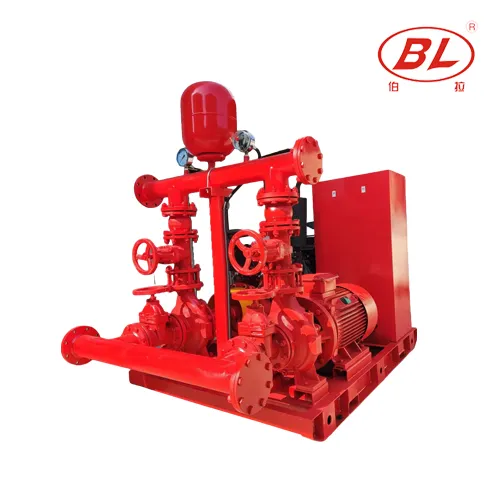
3. Trace Power, Driver, and Field Interfaces
Walk from the controller to the documented power, driver, sensing, alarm, and remote-interface boundaries. The review confirms that each interface has an identifiable handover and access route; it does not establish electrical adequacy from appearance. Distinguish factory-supplied equipment from field wiring, conduit, supports, monitoring, and other trade work so omissions can be assigned correctly.
4. Review Indications and Records
Use the installed controller documentation to map status, alarm, and trouble indications to the project record. Note the displayed name, document source, equipment tag, and expected project response. Avoid copying setpoints, sequences, or meanings from generic guidance. The installed configuration and approved design decide those details.
| Etapa de revisión | Project team action |
|---|---|
| Before review | Confirm scope, documents, access, and responsible parties. |
| During review | Record observations against the approved basis without inventing values. |
| After review | Assign open items and retain evidence for the next controlled stage. |
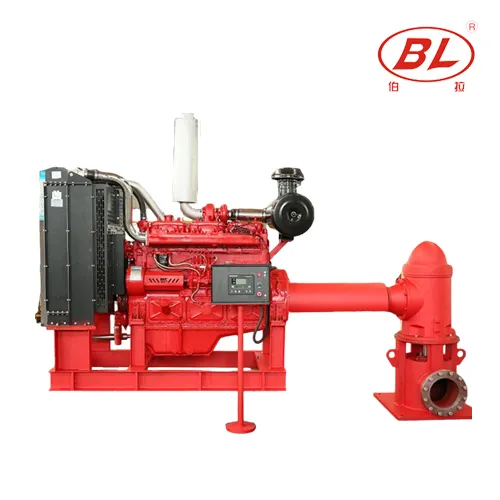
5. Prepare an Inspection Record
A useful record ties every observation to a location and document reference. It separates verified items, open questions, and items outside the inspection scope. Photographs can support the record when they identify the tag and interface, but they do not replace the approved documents. Keep the record available for the next review stage so the team does not repeat unresolved assumptions.
6. Plan Handover and Follow-Up
Before handover, confirm who receives the manuals, marked-up drawings, controller information, exception list, and applicable test records. An inspection checklist is most valuable when it makes the next owner aware of limits and unresolved interfaces. Route changes through the project review process before work proceeds, rather than treating a completed checklist as a certification.
Use a controlled review sequence: identify the purpose, obtain the current documents, observe the physical arrangement, and preserve the evidence. That sequence keeps a small discrepancy from becoming an undocumented field decision. It also makes a later supplier or engineering review more efficient because the question arrives with its context intact.
Product and Project Information
For a package discussion, provide the current project documents, application details, interface questions, and requested records. Review the related BORRAPUMP guide y contactar con BORRAPUMP with controlled project information. A product discussion does not replace project selection, installation, testing, or acceptance.
Fit and Compliance Boundary
This article does not certify a system, set equipment values, size a pump, or claim approval to a named standard, certification, listing, or authority. Final selection, installation, service, testing, and acceptance require current project documents, responsible professionals, applicable authorities, and verified manufacturer data for the specific equipment.
Preguntas frecuentes
¿Qué cubre una inspección del controlador de la bomba contra incendios?
Compara el controlador instalado y sus interfaces visibles con los documentos de proyecto aprobados, la documentación del fabricante y el propósito de inspección definido.
¿Puede una lista de verificación en línea establecer valores de controlador?
No. Los puntos de consigna y las secuencias provienen del diseño del proyecto aprobado y de la documentación verificada de los equipos instalados.
¿Qué documentos deben presentarse para la revisión?
Utilice los planos actuales, la lista de equipos, la presentación aprobada, el manual del controlador y el procedimiento de inspección o entrega del proyecto.
¿Deben asumirse los puntos de alarma remota a partir de las etiquetas?
No. Trace each remote point through the approved project documentation and record unresolved interface questions.
¿Una inspección certifica el sistema de protección contra incendios?
No. Acceptance and certification require the responsible professionals, applicable authorities, project procedures, and verified equipment evidence.
¿Qué medidas deben adoptarse ante una discrepancia detectada?
Record the tag, location, document reference, and observation, then route it through the project’s formal review process.