
Read a well booster pump diagram as a project-review document, not as a ready-to-build instruction. The drawing should show where the source information ends, how water is expected to move through the recorded system, and which details still need confirmation before anyone chooses equipment.
- FAQs
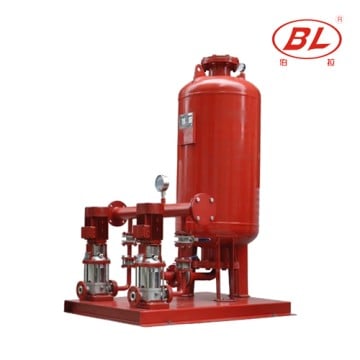
Part 1. Start with the diagram’s decision boundary
A well booster pump diagram is most useful when it names what the drawing is meant to review. It may help a buyer see the source side, a pressure or storage boundary, the downstream route, and the handoff points between trades. It cannot establish a final pump selection by itself.
The U.S. EPA private-well overview treats private-well conditions as site-dependent. That is a reason to use the drawing as a question list rather than a universal arrangement. Begin by marking whether the document describes an existing system, a proposed concept, or an incomplete request for quotation.
Part 2. Mark the source and pressure boundaries
First identify the point at which water enters the documented scope. The drawing may call this a well, a source line, a storage point, or another project-defined term. Do not infer water quality, available flow, depth, or operating condition from a symbol alone.
Next, find the pressure boundary. A tank, package, controller, or line label can indicate that pressure management is part of the discussion, but a diagram does not prove its setting or capacity. The U.S. Geological Survey groundwater resource is useful context for keeping source assumptions separate from a drawn component.
Important: A layout drawing cannot confirm a safe, approved, or final installation; the EPA’s private-well guidance shows why local conditions and project review remain necessary.
Part 3. Follow the route without inventing details
Trace the visible route from the named source toward the named point of use. At every component, write only what the record shows: label, connection, direction marker, or documented interface. A blank space is an open item, not permission to add a valve, control scheme, or performance assumption.
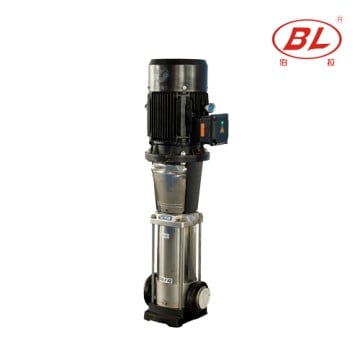
Use a simple review table while reading the drawing.
| Drawing area | Record | Do not infer |
|---|---|---|
| Source side | Named source and any supplied document reference | Water availability or condition |
| Pressure boundary | Shown tank, package, or label | Set point or capacity |
| Pump position | Relative place in the route | Model, duty, or final fit |
| Controls | Symbols and stated interface | Wiring or sequence logic |
| Downstream side | Named users or connection point | Demand profile or design pressure |
For a broader equipment vocabulary, compare the labels with What Is a Booster Pump? and the existing Water Booster Pump Diagram. Those articles are context links, not substitutes for the project drawing.
Part 4. Keep layout review separate from final design
A clean drawing supports coordination only when its limits are explicit. Layout review asks whether the record distinguishes source, route, interfaces, and unknowns. Final design requires verified project data and accountable review.
Do not convert a generic diagram into a claim about electrical work, pressure, flow, pipe size, controls, approvals, or installation. That boundary also prevents an article from competing with a project engineer’s documents. The practical result is simple: annotate missing inputs and retain the original document version with the enquiry.
Part 5. Turn the drawing into an RFQ input list
When a buyer needs a meaningful response, the diagram should travel with the details that explain its limits. Put unknowns in the request instead of filling them with assumptions.
Buyer should provide
| RFQ input | Why it belongs with the drawing |
|---|---|
| Current drawing and revision | Identifies the reviewed layout version |
| Source description and water information | States what is known without inventing conditions |
| Requested downstream use | Clarifies the point of use and project boundary |
| Required duty information, if documented | Separates supplied requirements from estimates |
| Power and control documents, if available | Allows the supplier to identify missing interfaces |
| Site, schedule, and applicable review documents | Keeps commercial and project questions visible |
This list does not make a product fit. It helps a supplier return questions that are tied to a document rather than to a generic web diagram.
Part 6. Use product pages as an enquiry route
BORRAPUMP’s Booster Regulator Water Supply Equipment page can be used to start a product-family conversation. It is not evidence that the displayed equipment is appropriate for a particular well system.
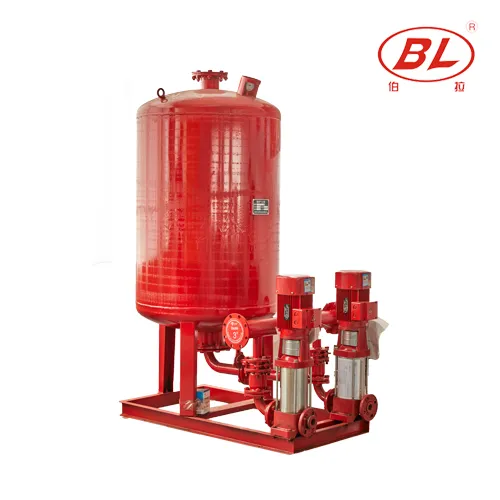
Read Booster Pump Design Basics for a separate design-context discussion, then send a documented project enquiry with the drawing and the RFQ inputs. The enquiry should request clarification where the source, duty, controls, or project requirements are incomplete.
Part 7. Record open items before handoff
Close the review by listing every unverified item beside the drawing revision. Examples include an unnamed source condition, an unclear control interface, an unprovided duty point, or a missing project requirement. This record protects the buyer from treating a web illustration as a final system document.
The best outcome is not a generic answer. It is a clearer package for the responsible project team and supplier to review against the actual application.
FAQs
What should a well booster pump diagram show?
It should show the documented source boundary, the visible route, named interfaces, pressure or storage components if shown, and the points that remain unknown. It should not silently add design information.
Does a diagram prove which booster pump to buy?
No. A drawing may frame the conversation, but it does not verify duty, water conditions, power, controls, project requirements, or final fit.
Is a pressure tank always part of the same arrangement?
Do not assume that from a generic diagram. Record only the tank or pressure boundary that appears in the project document and ask for the applicable system information.
Can this article be used as a wiring instruction?
No. This is a layout-reading guide. Electrical work and control logic must be based on applicable documents and qualified project review.
What should accompany a well booster pump RFQ?
Send the current drawing revision, source description, downstream use, documented duty information, available power or control records, and relevant site or project documents.
Why link to a product page if it does not confirm fit?
The product page gives the buyer a product-family enquiry route. It does not replace the information needed to verify a particular application.